
A blurry camera, cracked lens, black preview, or focusing problem can make one of your iPhone’s most useful features difficult to use. Sind Cellular provides professional iPhone camera repair in Louisville, KY from our location inside Oxmoor Center. We assess supported iPhones with front-camera, rear-camera, camera-lens, focusing, and other camera-related problems.
A camera issue does not automatically mean that the complete camera module needs replacement, because lens damage, accessories, impact damage, software, and other problems can create similar symptoms. Our team can assess the device before recommending iPhone camera repair, iPhone camera replacement, or iPhone camera lens replacement. Contact Sind Cellular with your exact iPhone model and camera symptoms to discuss the appropriate repair option and request a current quote.
Camera problems can affect image quality, focusing, video recording, or the ability to use one of the phone’s cameras at all.
Common symptoms include:
If these symptoms continue after basic troubleshooting, the device may need further assessment.
Not every camera fault requires iPhone camera replacement. A few simple checks can help rule out external or software-related causes before hardware repair is considered.
Remove Cases or Camera Accessories
Temporarily remove your phone case, camera protector, magnetic attachment, or other accessory around the camera area.
An accessory that partially obstructs the camera or interferes with normal operation can affect image quality without the camera itself being damaged.
Clean the Camera Lens
Fingerprints, dust, and smudges can make photos appear blurry or hazy.
Gently clean the front and rear camera lens areas with a clean microfiber cloth and test the camera again.
Test the Front and Rear Cameras Separately
Switch between the front-facing and rear cameras to determine whether the problem affects one camera or both.
Knowing which camera is affected provides useful diagnostic context when you bring the device in.
Restart the iPhone and Check for Updates
Restart the device and test the camera again.
If the camera problem continues after basic software checks, further assessment may help determine whether the issue involves the camera hardware.
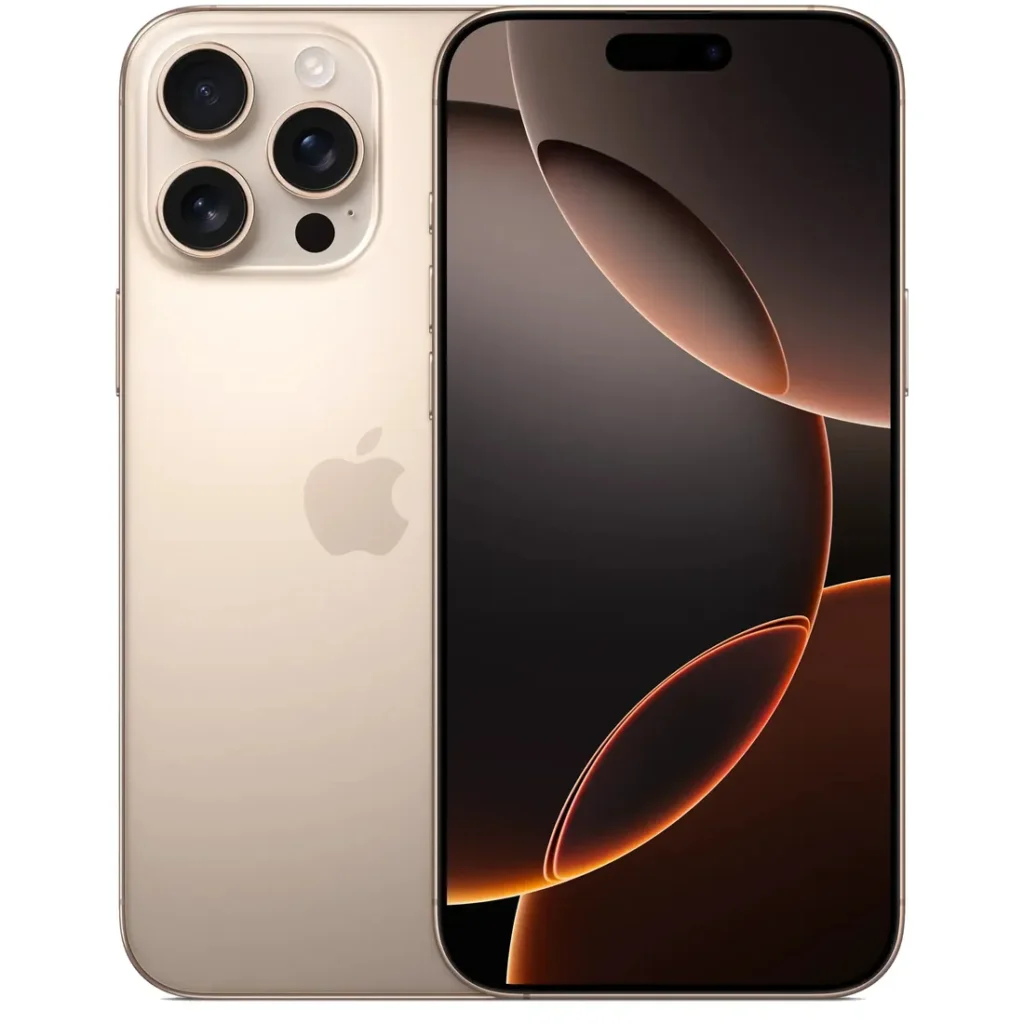
Our repair process begins by identifying the exact camera problem rather than assuming that every blurry image, cracked lens, or black preview requires the same repair.
Tell Us What the Camera Is Doing
Provide your iPhone model and describe the problem as specifically as possible.
Helpful information includes:
We Assess the Camera Problem
The device is assessed to determine whether the symptoms appear related to:
Review the Repair Option and Quote
After assessment, you can review the recommended repair option and current quote before deciding whether to proceed.
Bring Your iPhone to Oxmoor Center
Bring the device to Sind Cellular inside Oxmoor Center in Louisville.
If you know your exact model and the affected camera, mention this when contacting the store.
We Assess the Camera Problem
The device is assessed to determine whether the symptoms appear related to:
Review the Repair Option and Quote
After assessment, you can review the recommended repair option and current quote before deciding whether to proceed.
Camera Repair or Replacement
If camera or lens repair is appropriate, the work can be completed according to the device condition, exact model, required repair, and parts availability.
Camera Function Check
After the approved repair, relevant camera functions should be checked before the device is returned.
A cracked protective camera lens and a failed internal camera module are different repair problems. Identifying which component is affected helps determine the appropriate repair rather than automatically replacing the complete camera.
The protective glass covering the camera can become cracked, scratched, or damaged after a drop or impact.
Possible signs of lens-related damage include:
If you need to fix a cracked iPhone camera, the device should be checked to determine whether the damage is limited to the protective lens or extends to the camera hardware underneath.
An iPhone camera lens replacement can therefore be a different repair from replacing the camera module itself.
An iPhone camera replacement may be considered when the internal camera hardware is no longer functioning correctly.
Possible hardware-related problems include:
The correct repair depends on the component identified as the source of the problem.
Modern iPhones use separate front and rear camera systems, so a problem with one camera does not necessarily mean that every camera on the device has failed.
Rear Camera Repair
The rear camera system handles most everyday photography and video recording.
Rear-camera problems can include:
Where appropriate, the device can be assessed for iPhone back camera replacement or another rear-camera repair option.
Front Camera Repair
The front-facing camera is commonly used for selfies, video calls, and apps requiring a front camera.
If the front camera produces a black image, remains blurry, or stops functioning, describe the exact symptoms when bringing the iPhone in.
Front-camera problems should be assessed separately from rear-camera problems because the components and repair requirements may differ.
Sind Cellular provides iPhone camera repair for a range of supported generations, including devices from the iPhone X/XR/XS, iPhone 11, 12, 13, 14, and newer families.
Camera hardware differs substantially across iPhone generations, so provide your exact model when contacting our Louisville store. This allows the repair requirement to be considered for the actual camera system used in your device.
iPhone XR Camera Replacement
The iPhone XR can be assessed for rear-camera, front-camera, focusing, lens, and other camera-related problems.
If you are looking for iPhone XR camera replacement, the device should first be evaluated to determine whether the issue actually requires camera-module replacement or involves another component.
A blurry iPhone camera does not automatically mean that the internal camera module has failed. Dirty lens glass, camera protectors, cases, physical lens damage, focusing problems, or camera hardware can all affect image quality.
If the camera appears to shake, struggle to focus, or repeatedly move in and out of focus, remove nearby accessories and test the camera again. Persistent focusing or stabilization problems after basic troubleshooting may indicate that the device needs further assessment.
A black camera preview may affect either the front camera, rear camera, or both. Switch between cameras to identify whether one camera continues to function while the other does not.
Restart the device and test the camera again before assuming that the hardware requires replacement. If the camera remains black or unavailable after basic troubleshooting, professional assessment can help identify whether a camera component or another device issue is involved.
A physical impact can affect more than the visible camera lens. Depending on where the iPhone was hit, the impact may affect the protective lens, internal camera hardware, screen, frame, or several components at the same time.
Tell Sind Cellular if focusing, stabilization, image quality, or camera operation changed immediately after a drop. If the same impact also damaged your display, see our iPhone screen repair service.
Camera problems that begin after liquid exposure should not automatically be treated as an isolated camera failure. Moisture can affect multiple parts of the device, which means camera symptoms may be only one sign of broader liquid-related damage.
If the camera became hazy, stopped working, or developed unusual behavior after the iPhone became wet, mention the liquid exposure during assessment. For broader liquid-related device problems, see our iPhone water damage repair service.
The time required for iPhone camera repair in Louisville depends on the exact model, camera component affected, repair required, parts availability, and current repair workload.
A cracked protective camera lens can require a different repair process from a failed front or rear camera module. Some supported camera repairs may be available the same day, while more complex cases can require additional assessment or repair time.
If turnaround time matters, contact Sind Cellular with your exact iPhone model and camera problem before visiting.
There is no single price that applies to every phone camera repair because camera faults can involve different components.
Factors that may affect your quote include:
An iPhone camera lens replacement, for example, can have different repair requirements from replacing a failed rear-camera module.
Contact Sind Cellular with your exact model and camera symptoms for a current quote.
Complete camera replacement is not the default solution for every camera problem. It becomes more relevant when assessment indicates that the internal camera hardware itself is damaged or no longer functions correctly.
Replacement may be considered in situations involving:
The repair recommendation should be based on the affected component rather than replacing camera hardware unnecessarily.
If you are searching for fix iPhone camera near me, phone camera repair near me, or iPhone camera replacement near me in Louisville, Sind Cellular provides a physical location where you can bring your device for assessment.
Sind Cellular
Oxmoor Center
7900 Shelbyville Rd D-13
Louisville, KY 40222
Phone: (502) 426-5337
Our Oxmoor Center location provides a local option for camera, camera-lens, and other supported iPhone repairs. Tell us your exact model and whether the issue affects the front camera, rear camera, or camera lens when you contact the store.
Yes. Cracked or damaged protective lens glass can potentially interfere with image clarity, depending on the location and extent of the damage. Visible cracking, scratches, haze, or distortion around the lens area should be assessed to determine whether the protective lens needs repair.
Yes. The front and rear cameras use separate hardware, so one camera can develop a problem while another continues functioning normally. Testing both cameras helps identify which system appears to be affected.
Persistent haze can have causes beyond surface dirt. Damaged protective lens glass, moisture, accessories, or a camera-related hardware problem may need to be considered if cleaning does not resolve the issue.
Yes. A camera problem affecting focus, image stabilization, image quality, or camera operation may also become noticeable while recording video. Describe whether the problem occurs in photos, video, or both when the device is assessed.
Yes. Impact can potentially affect internal camera hardware even when the outer camera glass does not show obvious damage. If camera problems began immediately after a drop, mention that history during assessment.
The phone may continue functioning for other tasks, and another camera may still work depending on the problem. However, persistent camera failure should be assessed if you want to restore normal camera functionality.
Sind Cellular provides iPhone camera repair in Louisville, KY at Oxmoor Center, 7900 Shelbyville Rd D-13. Contact the store with your exact iPhone model and camera symptoms to discuss repair options.
If your iPhone camera is blurry, shaking, unable to focus, showing a black preview, or affected by cracked lens glass, contact Sind Cellular to discuss the appropriate repair option. Tell us your exact model, whether the front or rear camera is affected, and whether the problem began after a drop or liquid exposure.
Visit our Oxmoor Center location or call (502) 426-5337 to request a quote for iPhone camera repair in Louisville, KY.

(502) 426-5337
Copyright © 2025 Sind Cellular I All rights reserved I Designed & Developed by Halcon Tech LLC